


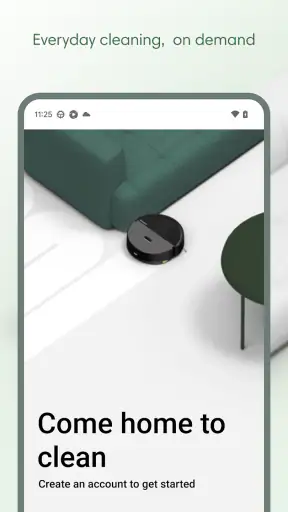
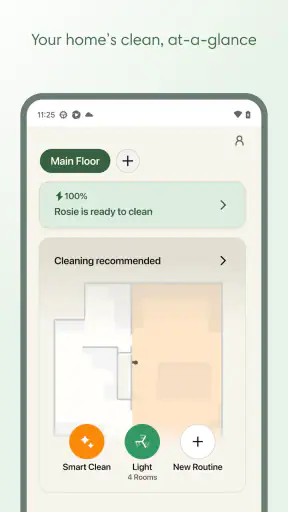
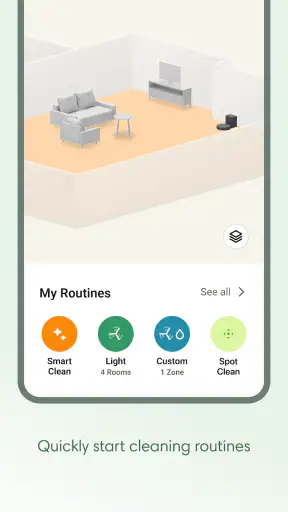
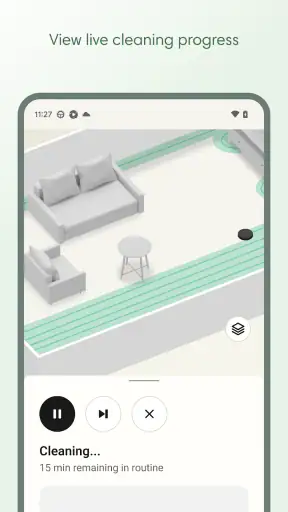
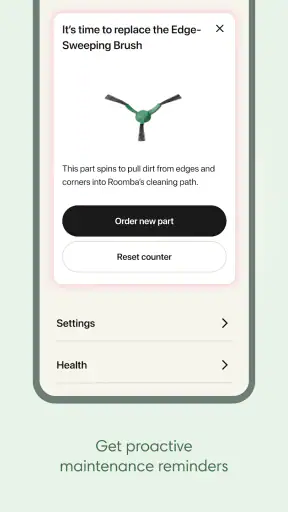
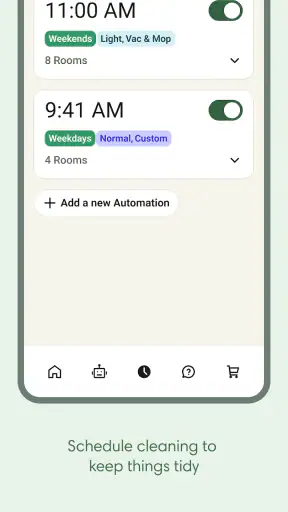
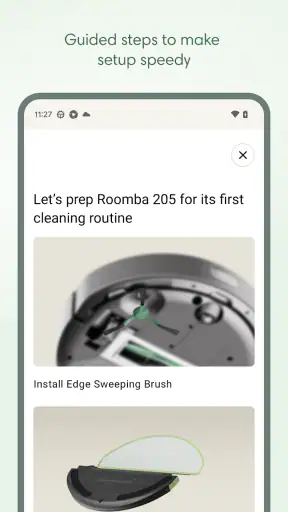
I approached Roomba Home as the control point for a connected floor-cleaning routine rather than as a standalone lifestyle app. Developed by iRobot, it belongs to the lifestyle category and is free to install, with an Everyone age rating. Its job is closely tied to premium floor-cleaning robots, so the experience makes the most sense when you already own compatible Roomba hardware and want a clearer way to manage everyday cleaning.
My first impression was that the app is less about browsing and more about reducing small decisions. Instead of manually starting a robot every time, I can use the phone as the place to organize cleaning, check what is happening, and recover when a run does not go as planned. That sounds simple, but connected-home apps often become frustrating at the exact moments when a user is trying to get something done quickly. With this one, the quality of the experience depends heavily on setup, the robot’s physical surroundings, and whether the phone, network, and cleaner are all communicating properly.
The current release is version 3.1.0, and the app has reached over a million installs. It holds an average rating of 3.9 from roughly eleven thousand ratings, with about one thousand two hundred written reviews. Those figures suggest a useful but not universally effortless experience: many people find value in the convenience, while others are likely judging it through the lens of connection problems, robot behavior, or expectations that the app cannot control.
Where the experience usually gets stuck
The most important thing I learned is that an app-controlled cleaner has three separate points of failure: the phone, the home network, and the robot itself. When a cleaning task does not start, it is tempting to blame the app immediately. In practice, the problem may be that the robot is not fully ready, the charging position is awkward, or the phone is looking at an outdated connection state.
This matters because the screen can make a physical problem look like a software problem. A robot that has not seated correctly on its dock, has been moved to another room, or is blocked by an object may not respond as expected even though the app is working normally. I found it more useful to treat the app as a dashboard: it can send instructions and show status, but it cannot make a robot leave a crowded area, find a clear route, or correct a dock that has shifted.
A realistic example is a weekday morning when I want the floor cleaned before leaving home. If the robot is not properly positioned, the quick command becomes a delay rather than a convenience. I would first look at the cleaner itself, check that it is seated and unobstructed, and only then retry the command. This small habit avoids repeatedly tapping the same control and assuming the application has frozen.
Another common sticking point is expecting the phone to replace preparation. Floor-cleaning robots still need a usable path. Loose cables, clothing, pet items, and low objects can interrupt a run or produce a result that feels incomplete. The app may help me initiate the session, but a five-minute room check often has more effect on the outcome than changing a setting.
The app is most dependable when I use it as part of a routine, not as a magic remote control. I get better results by leaving the robot in a consistent location, keeping its working area reasonably clear, and checking its physical state before troubleshooting the phone. That approach is especially helpful for people who are buying their first connected cleaner and assume every failed action must be a technical defect.
Setup checks that save time later
During setup, I would keep the phone close to the robot and avoid rushing through the process. The goal is not merely to install the application; it is to establish a stable relationship between the app, the cleaner, and the home environment. If a pairing step appears to stall, I would pause before repeating it several times. Confirming that the robot is powered, positioned correctly, and ready to communicate is a better first move than creating multiple incomplete attempts.
The home network deserves particular attention. A phone can appear to have internet access while the robot is not communicating in the same way, so a successful connection on the handset does not automatically prove that the cleaner is ready. I would keep the phone’s network connection consistent during setup, stay near the equipment, and allow each step to finish before moving on.
One practical tip is to perform the initial setup in the place where the robot will normally live. Moving it immediately afterward can make a new user think the app has lost track of the device, when the real issue is a changed physical environment. A stable dock position also makes later routines easier to understand because the robot starts and ends from a familiar point.
If the app does not recognize the cleaner, I would work through the basics in a calm order: check power, inspect the dock, confirm the phone’s connection, close and reopen the app, and then retry only once the robot appears ready. Restarting everything at random can sometimes make it harder to know which change helped. The useful principle is to alter one condition at a time.
I would also make sure the phone is running a supported operating system. Roomba Home requires iOS or Android version 11 or newer, so an older device environment can become a hidden source of trouble before cleaning even begins. That requirement is easy to overlook when the phone still runs other applications normally.
The free price makes it easy to try without adding another subscription decision to the purchase of a robot. Still, free does not mean frictionless. The app’s value depends on owning compatible equipment, and someone without that hardware has little reason to install it. I would not choose it as a general household organizer; its purpose is narrow and practical.
Recovering a workflow after a failed run
When a cleaning session stops unexpectedly, I prefer a recovery process that separates status from action. First, I check the robot in the room rather than relying only on the last message shown on the phone. Is it on the dock, under furniture, caught on an edge, or simply paused? Then I look at the app again and decide whether the right response is to resume, send it back, or start over.
This order matters because repeating a command while the robot is physically stuck rarely improves anything. If the cleaner is trapped by a threshold or an object, the useful fix happens on the floor. If it is safely docked but the app has not refreshed, reopening the application may be enough to restore a clearer status. These are different problems, even if both initially look like an unresponsive button.
A good everyday workflow is to begin with a small, predictable area rather than immediately testing the robot across the entire home. I would remove obvious obstacles, start a session, and watch how the first part goes. This gives me a chance to discover environmental issues early, such as a narrow passage or a piece of furniture that repeatedly interrupts progress. Once that route is reliable, larger cleaning sessions feel less uncertain.
I also find it useful to avoid making several changes during one recovery attempt. If I move the dock, restart the phone, change the network, and reposition the robot at the same time, I lose the ability to identify the cause. A slower sequence is more informative: inspect the robot, refresh the app, verify the connection, and only then consider a broader restart.
For households with pets or children, recovery is often less about the software than timing. A toy or feeding bowl can appear after the robot has started, turning a previously successful routine into a failed one. In that situation, I would adjust the room before blaming the schedule or command. This is one of the less obvious trade-offs of app-controlled cleaning: automation saves attention, but it still benefits from a quick environmental check.
Another useful habit is to treat an interrupted run as feedback. If the same location causes trouble, I would change the room layout or remove the recurring obstacle instead of repeatedly restarting the robot. The app is valuable because it makes the cleaning process easier to initiate and monitor, but the lasting improvement often comes from understanding the home’s difficult spots.
When the app is not the cause
There are situations where a different solution is better than further app troubleshooting. If the robot cannot move freely, a manual cleanup may be faster. If a room changes constantly throughout the day, a scheduled or remotely initiated routine may be less useful than starting the cleaner only after the area has been prepared. The app adds convenience, but convenience depends on predictable conditions.
I would also be cautious about choosing this setup for someone who dislikes connected devices altogether. A traditional vacuum has fewer communication steps and can be picked up immediately. Roomba Home is a better match for someone who wants to reduce repeated manual starts and is willing to maintain the robot’s physical setup. The comparison is not simply about which option cleans better; it is about whether app-based control fits the person’s habits.
For a small apartment with a clear layout, the app can make routine cleaning feel pleasantly low effort. I can prepare the floor, start the robot, and let the device handle a task while I do something else. For a busy family home with frequent clutter, the same system may require more supervision than expected. The robot may still be useful, but the app cannot remove the need to clear paths.
People who expect detailed control over every cleaning decision should also set realistic expectations. This is a focused companion for iRobot’s cleaning hardware, not a broad smart-home command center. Its strength is keeping the robot accessible from the phone and helping the user build a repeatable routine. Its weakness is that a clean interface cannot solve unclear physical conditions or an unstable connection.
When connection behavior seems inconsistent, I would first check whether the issue follows the phone or the robot. If the app behaves normally elsewhere but the cleaner remains unavailable, I would inspect the robot and its dock. If the robot appears ready but the phone display is stale, I would restart the app and verify the network before taking more drastic steps. This simple separation prevents unnecessary resets and protects the routine from becoming more complicated than the original problem.
The developer, iRobot, gives the app a clear advantage because the software is designed around its own floor-cleaning ecosystem rather than trying to support unrelated devices. That focus is helpful for owners who want one place for their Roomba experience. It is less compelling for shoppers comparing open smart-home platforms, where broader device compatibility may matter more than a dedicated cleaner companion.
Who will get the most from it
I would recommend Roomba Home to people who already own a compatible iRobot cleaner and want a convenient way to start and manage floor care from a phone. It is particularly suitable for someone who prefers routines, has a reasonably consistent home layout, and is comfortable doing light preparation before a cleaning session.
It also suits users who want to check the progress of a task without standing beside the robot. That is useful when I am preparing dinner, working in another room, or leaving the house after clearing the floor. The benefit is not that the app eliminates every interruption; it is that I do not need to begin each cleaning task manually at the robot’s location.
I would be more hesitant to recommend it to someone who does not own the relevant hardware, uses an older phone, or expects the app to work independently of the robot’s physical condition. It is also not the best fit for a person who wants a simple vacuum with no setup or network considerations. In those cases, a conventional cleaner or a less connected approach may feel more dependable.
The age rating of Everyone makes the app broadly approachable, but ease of use still depends on the household. A child can understand a simple start command, yet an adult will usually need to handle setup, network checks, and physical recovery. The rating describes accessibility, not a promise that every technical step will be effortless.
One of my favorite practical uses is preparing the floor before leaving for a short errand, then checking the app later rather than interrupting the task. The key is to remove fragile or loose items first and leave the robot in its normal home position. That workflow turns the application into a quiet background helper instead of something I constantly monitor.
My practical verdict
Roomba Home is a focused lifestyle app that makes the most sense as part of an iRobot floor-cleaning setup. I like the way it can turn a repetitive household task into a more manageable routine, and the free download lowers the barrier for existing owners who want phone-based control. Its dedicated purpose is also a strength: I am not sorting through unrelated smart-home tools just to reach the cleaner.
At the same time, I would not judge it separately from the robot, the dock, and the home network. A poor physical setup can make the app feel unreliable, while a clear floor and consistent starting point can make the same experience feel smooth. The most useful troubleshooting is therefore practical rather than dramatic: inspect the cleaner, confirm the connection, refresh the app, and change one thing at a time.
With its current version, broad install base, and average rating of 3.9, I see it as a capable companion rather than a flawless control system. It is worth trying if you already use compatible iRobot hardware and want less manual involvement in everyday cleaning. I would skip it if you are looking for a general lifestyle organizer, dislike connected-device setup, or need a solution that works without preparing the room.
My final recommendation is straightforward: use it to build a repeatable cleaning habit, not to avoid all responsibility for the cleaning environment. When the robot has a clear route and a stable home, the app can genuinely save small amounts of time and attention. When those conditions are missing, a quick physical fix is often more effective than another tap on the screen.


